Simplicity Studio v5 基础操作
最近的项目用到了芯科科技(Silicon Labs)的芯片,于是接触到了 Simplicity Studio v5。此博客记录一些相关操作。
Simplicity Studio v5 基础操作
1. 前言
最近的项目用到了芯科科技(Silicon Labs)的芯片,于是接触到了 Simplicity Studio v5。此博客记录一些相关操作。
持续更新中。
2. 改变工作路径
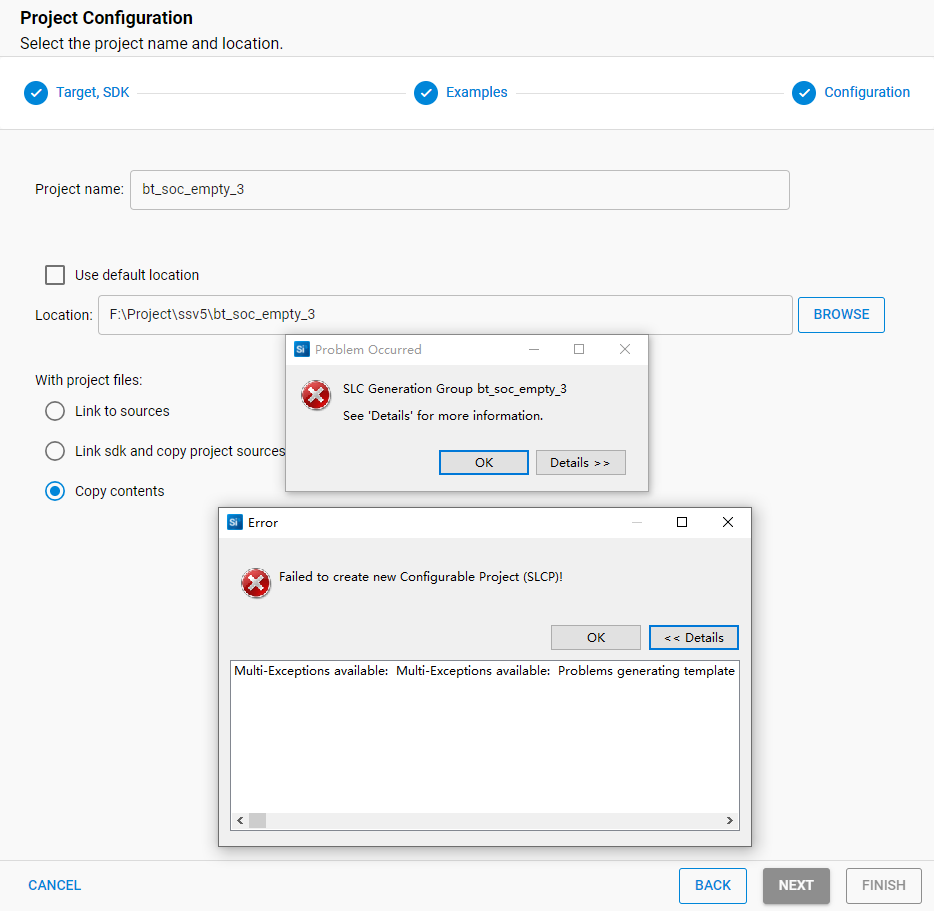
当默认的工作路径中含中文时,创建项目会报错。
1
2
3
4
5
6
7
8
Failed to create new Configurable Project (SLCP)!
Multi-Exceptions available:
  Multi-Exceptions available:
  Problems generating template files from component: bluetooth_stack - Failed to generate template for F:\gecko-sdk\protocol\bluetooth\src\sl_bluetooth.c.jinja... Couldn't open script file.
  Problems generating template files from component: bluetooth_stack - Failed to generate template for F:\gecko-sdk\protocol\bluetooth\src\sl_bluetooth.h.jinja... Couldn't open script file.
  Problems generating template files from component: bootloader_app_properties - Failed to generate template for F:\gecko-sdk\platform\bootloader\app_properties\config\sl_application_type.h.jinja... Couldn't open script file.

…………
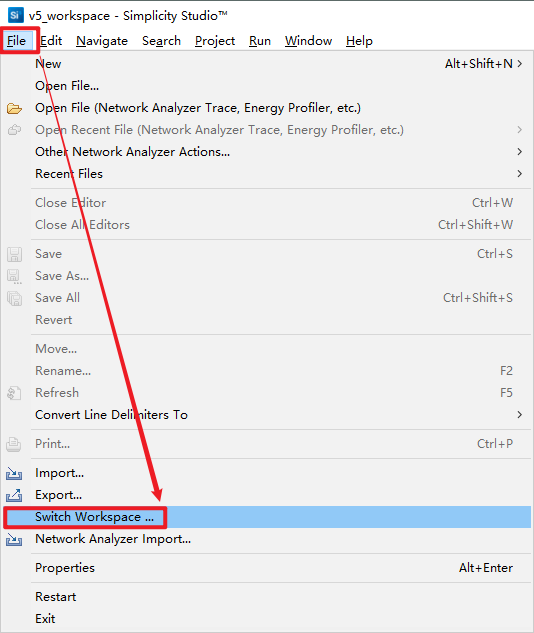
“文件”-“Switch Workspace …”
3. 导入项目
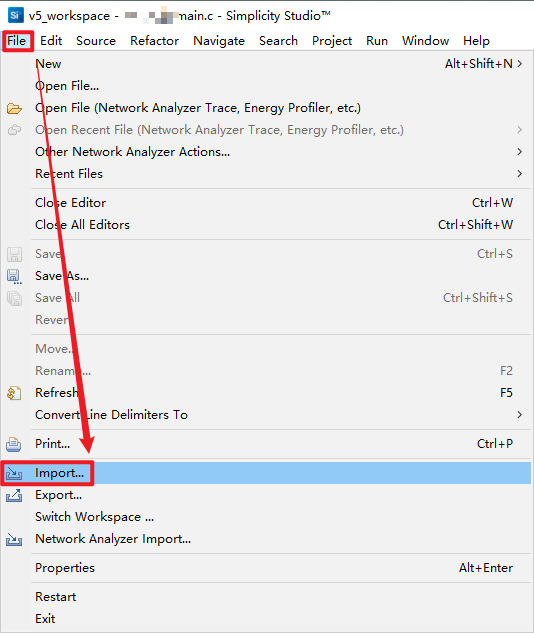
“File”-“Import …”
4. 编译程序
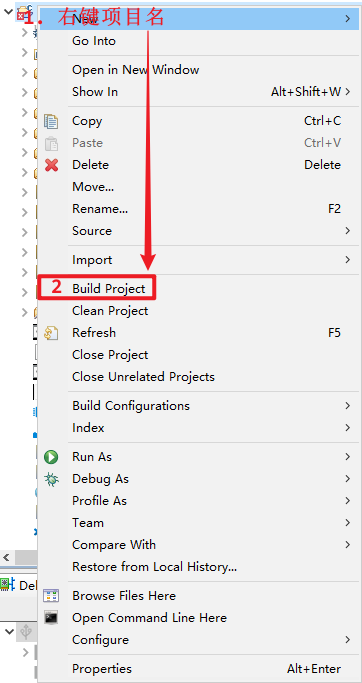
右键项目名-“Bulid Project”
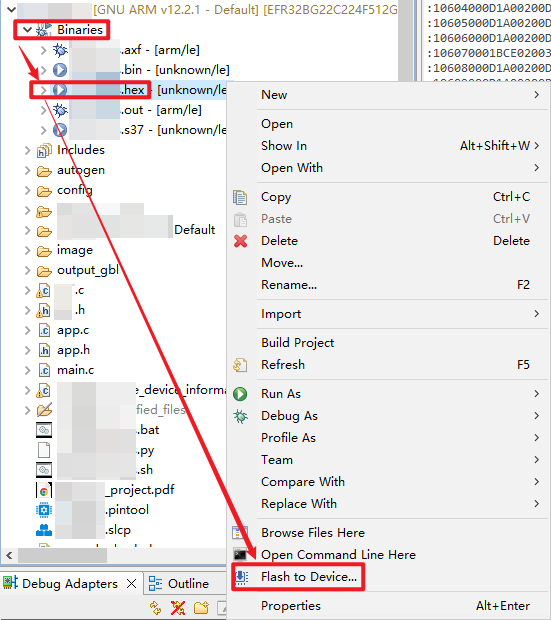
5. 烧录固件
程序编译后项目目录中会有一个“Binaries”文件夹
This post is licensed under CC BY 4.0 by the author.